Aptitude Test
Core cognitive assessments — spatial, numerical, memory, and reasoning tasks.
Preview mode — one free play each on Shape Scanning, String Deviation, and Cube Unfold. Subscribe for unlimited access.
Skill Practice
Short drills to sharpen specific skills. Practice modes here do not save to My Records.
Screen is too small for this task. Use a wider window or zoom out.
Shape Scanning
How to play
Find each shape–number pair on the board, then type the matching letter. You have 6 minutes.
Time 06:00
Score 0%
Correct 0 / 0
Shape Scanning
Press Start to reveal the board. You have 6 minutes.
Shape types
Screen is too small for this task. Use a wider window or zoom out.
Number Find
How to play
Find each small corner number on the board, then type the matching big center number. You have 6 minutes.
Time 06:00
Score 0%
Correct 0 / 60
Press Start to reveal the board. You have 6 minutes.
String Deviation
Count how many characters differ between the two strings. You have 5 minutes for all 20 questions.
Time left 05:00
Score 0%
Correct 0 / 20
Question 1 / 20
When you are ready, press Start. You have 5 minutes for all 20 questions.
Question 1
Test complete
ATC Readback
Hear each clearance read aloud, then pick the correct readback. 20 questions, 10 seconds each after audio.
Question 0 / 20
Accuracy —
Time 10
Listen to each ATC clearance (read aloud). Answer choices appear when the audio finishes. You have 10 seconds to respond for each of 20 questions.
Test complete
Checklist Order
Drag checklist items into the correct order — pilot procedure practice.
Practice
Approximation
Pick the best approximate answer. Questions use the same types as the practice sets, with new numbers each test. You have 7 minutes.
Time left 07:00
Score 0%
Correct 0 / 20
Question 1 / 20
When you are ready, press Start. You have 7 minutes for all 20 questions.
Question 1
Loading questions…
Test complete
Answer key
Cube Unfold
20 questions, 6 minutes. Match each 3D cube to the correct flat net (layout and symbol rotation).
Time left 06:00
Score 0%
Correct 0 / 20
Question 1 / 20
When you are ready, press Start. You have 6 minutes for all 20 questions.
Cube unfold
Which net matches this cube?
Study the visible faces on the 3D cube. Pick the flat net that folds into it.
Compare which symbols are adjacent on the cube and find the matching unfolded layout.
Select your answer
Pick the matching net
Test complete
Review missed questions
Cube Folding
20 questions, 6 minutes. Match each flat net to the correct assembled cube (symbols and rotation).
Time left 06:00
Score 0%
Correct 0 / 20
Question 1 / 20
When you are ready, press Start. You have 6 minutes for all 20 questions.
Cube folding
Which cube matches this net?
Inspect the symbols and orientations on the flat net. Pick the assembled 3D cube that matches.
Look at which symbols are adjacent and their rotation on the net, and find the matching 3D cube.
Select your answer
Pick the matching cube
Test complete
Review missed questions
Cube Assembly
15 questions, 15 minutes. Two pieces of a 3×3×3 cube are shown — pick the missing third piece.
Time left 15:00
Score 0%
Correct 0 / 15
Question 1 / 15
When you are ready, press Start. You have 15 minutes for all 15 questions.
Review — drag any view to rotate
Cube assembly
Given pieces
These two polycube fragments are fixed. Find the third piece that completes the full 3×3×3 cube.
Piece 1
Piece 2
Select your answer
Pick the missing piece
Test complete
Review missed questions
Piece previews are shown below.
Cube View
Rotate the 3D piece and pick the matching top, front, or side view.
Time left 05:00
Score 0%
Correct 0 / 20
Question 1 / 20
When you are ready, press Start. The 5-minute timer begins on question 1.
Review — drag Piece 1 to rotate
Reference
Select the correct view of Piece 1:
After answering, drag Piece 1 to inspect it from different angles.
Piece 1
Side view
Test complete
Review missed questions
Grid Memory
Memorize a 6×6 grid for 3 minutes, then 5 math questions (10s each), then 20 recall questions in 6 minutes.
Phase Ready
Press Start when you are ready. The 3-minute timer begins when the grid is revealed, then math 10s each, then 6 minutes for 20 recall questions.
03:00
Memorize the grid.
Press Start to reveal the grid.
Memorize for 3 minutes, math 10s each, then 6 minutes for 20 recall questions.
10
Math distraction
Grid recall
Test complete
Series Number
Complete each number sequence. You have 6 minutes for all 20 questions — skip and return anytime.
Time left 06:00
Score 0%
Correct 0 / 20
Question 1 / 20
You have a test in progress.
When you are ready, press Start. You have 6 minutes for all 20 questions.
Question 1
Test complete
Answer key & explanations
Jigsaw
See the shape and dashed cut lines, then pick which set of 4 pieces matches those cuts.
Time left 06:00
Score 0%
Correct 0 / 20
Question 1 / 20
When you are ready, press Start. You have 6 minutes for all 20 questions.
Question 1
Test complete
Answer review
Passage Memory
Memorize the passage (3 min), then 5 math questions (10s each), then 15 recall questions (3 min).
Phase Ready
One random briefing text is chosen each session. You cannot skip the memorization phase.
03:00
Memorize this text — no skipping
10
Math distraction — 10 seconds per question
Math distraction
—
Correct 0 · Wrong 0 · Answered 0
03:00
3 minutes total — use the numbered buttons to jump between questions
Passage recall
Challenge complete
Calculation
Choose operations and digit ranges, then solve each set with the numpad.
Avg —
Correct 0
Progress 1 / 10
Reaction Match
20 trials — decide whether the two strings are the same or different. Faster is better.
Trial 0 / 20
Avg —
Acc —
Two short strings appear side by side. Click SAME if every character matches, or DIFFERENT if any character differs. There are 20 trials in total. Keyboard: S = same, D = different
⏱ 3.0s
—
vs
—
Tip: use S / D for faster reactions · 3 s per question
Run complete
Stroop Test
Name the ink color of the word as fast as you can. Ignore what the word says.
Trial 0 / 24
Avg —
Acc —
A colored word appears in the middle. Click the button that matches the ink color, not the word itself. Most trials are incongruent. 24 trials, 3 s each. Keyboard: R red · B blue · G green · Y yellow · P purple
⏱ 3.0s
—
3 s per question — click or use the first letter of the color
Run complete
Select language
Choose English or Thai for the color words and answer buttons.
Aircraft Rotation Angle
Track the plane through each rotation step and pick the missing command. All angles use 45° increments. You have 6 minutes.
Time left 06:00
Score 0%
Correct 0 / 20
Question 1 / 15
When you are ready, press Start. You have 6 minutes for all 15 questions.
Question 1
Test complete
Answer key
Joystick Game
Use a controller to steer, capture the target color, and avoid black balls for 5 minutes.
Press Start to begin. You have 5 minutes.
Heading Indicator
Read the compass and pick the correct heading. 20 questions, 8 seconds each.
Question 0 / 20
Accuracy —
Time 8
Read the compass rose and select the correct heading from four choices. You have 8 seconds per question for 20 questions.
Test complete
Size Comparison
Compare two shapes and pick the larger one. 20 questions, 3 seconds each.
Question 0 / 20
Time 3
Two shapes will appear side by side. Click Larger for the left shape or Smaller for the right shape. You have 3 seconds per question for 20 questions.
Test complete
Word Difference
Find the odd one out — pick the letter group that breaks the pattern.
Question 0 / 15
Score 0%
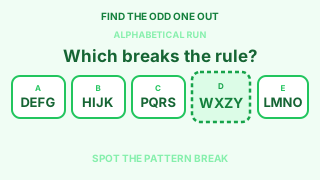
Each question shows five letter groups. Four follow the same rule — one does not. Pick the odd one out. 15 questions, no timer.
Questions could not be loaded. Refresh and try again.
Practice complete
Visual Count
Question 1
1 / 20 · 19 left
Time 08:00
Resume session
Your previous run is ready to continue.
Visual Count
Count the repeated symbols in each scene and type the total before the clock runs out. There are 20 questions and 8 minutes total.
Test complete
Score
0
Accuracy
—
Skipped
0
Time
08:00
Review
End this test?
Your current progress will be counted as completed for this run.
Symbol Translation
Learn the digit-to-symbol mapping, then translate each prompt before the 60-second timer runs out.
Time 01:00
Score 0
Correct 0
Incorrect 0
Accuracy 0%
Avg —
Streak 0
Best 0
Symbol key
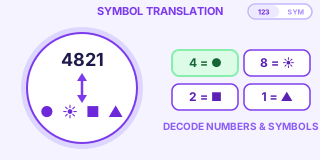
A random mapping links digits 0–9 to ten unique symbols for each game. Read the symbols and type the matching number as fast as you can. Press Enter to submit. Press Esc to restart.
Difficulty
Time's up
Final score
0
Correct
0
Incorrect
0
Accuracy
0%
Avg response
—
Best streak
0
Dern Jood
Metronome session with random 40–60 BPM. Choose 3, 5, or 10 minutes and keep the beat while questions play.
Time 10:00
Beats 0
BPM —
—
Practice sheets
Open and print these dot-walk patterns to use with the metronome.
UDLR
Generate a new round, then press Start to hear 25 direction sets with row numbers and follow-up questions. Answers appear when the round finishes.
Practice material
Open and print this sheet to practice direction listening offline.
Open practice sheetGenerate a round first, then press Start.
Pattern per row: U/D · U/D · L/R · L/R · L/R
Memory Matrix
Memorize the highlighted tiles, then click them from memory. The pattern grows each level.
Level 1
Lives 3
Best 0
A set of tiles will flash on the grid. Memorize them, then click every tile that lit up. Each cleared level adds more tiles and a bigger grid. You have 3 lives.
Game over
Levels cleared
0
Best
0
Tiles recalled
0
Speed · Distance · Time
Solve pilot-style speed, distance, and time problems. 20 questions, 20 seconds each.
Question 0 / 20
Accuracy —
Time 20
Each question gives two of speed, distance, and time — work out the third. Speeds are in knots, distances in nautical miles, and times in minutes. You have 20 seconds per question for 20 questions.
Tip: distance = speed × time. A speed of 120 kt covers 2 NM every minute.
Test complete
Instrument Comprehension
Read the attitude indicator and pick the matching aircraft. 20 questions, 15 seconds each.
Question 0 / 20
Accuracy —
Time 15
The attitude indicator shows the aircraft's pitch and bank. Pick the silhouette (seen from behind) that matches — is it climbing, diving, or level, and banked left, right, or wings level? You have 15 seconds per question for 20 questions.
Tip: brown means ground, blue means sky. More blue than brown = climbing. The yellow pointer shows the bank direction.
Test complete
Instrument Scan
Scan the six-pack and pick the instrument that doesn't match the others. 20 questions, 8 seconds each.
Question 0 / 20
Accuracy —
Time 8
Six instruments show one flight picture — but one gauge lies. Cross-check attitude, VSI, turn coordinator, airspeed, altimeter, and heading to find the mismatch. You have 8 seconds per question for 20 questions.
Tip: start with attitude and VSI, then verify bank on the turn coordinator and heading indicator.
Test complete
Spatial Orientation
Read the map and your heading, then locate the landmark relative to your nose. 20 questions, 10 seconds each.
Question 0 / 20
Accuracy —
Time 10
The map is always north-up, but your aircraft points along its heading. Work out where the named landmark is relative to your nose: Ahead, Right, Behind, or Left. You have 10 seconds per question for 20 questions.
Tip: imagine sitting in the cockpit. Heading east with a landmark to the map's north means it's off your left wing.
Test complete
Do not refresh this page
Payment processing may take up to 5 minutes.
Pricing
Pick a plan for unlimited access to all games.
Have a discount code?
Discount code applied (% off).
or unlock free access with a promo, ATC, or Pro3 code
Code unlocked access. Your account is now active.
Payment successful
Verifying payment…
Payment cancelled
Checkout was cancelled. No charge was made.
Number Sorting
Tap 10 numbered bubbles in ascending order on each question. You have 15 seconds per question — 20 questions total.
Time 15
Score 0%
Correct 0 / 20
Question 0 / 20
Numbered bubbles appear scattered on the board. Tap all 10 in ascending order — lowest first. Wrong taps lower your accuracy. 20 questions, 15 seconds each.
Test complete
My Records
Loading your records…
Shape Scanning
String Deviation
Approximation
Cube Unfold
Cube Folding
Cube Assembly
Cube View
Grid Memory
Series Number
Passage Memory
Calculation
Reaction Match
Stroop Test
Jigsaw
Number Sorting
Aircraft Rotation Angle
Ranking
Rankings by average score per game across all players. At least 5 completed runs are required to be ranked.
Loading rankings…
User Records
Score summaries for all paid subscribers. Admin only.
Loading records…
No paid users found.
| Nickname | Status | Games | Attempts | Last activity | Actions |
|---|
Admin
Manage hub settings, announcements, codes, and paid subscribers.
Admin users
Add another admin by Google email. They must sign in with that email.
Game maintenance
Drag a game between Aptitude Test and Skills Practices to change its page. Set status to hide or mark maintenance.
Site announcement
Shown as a banner at the top of the site for all signed-in users.
Max 500 characters. Leave empty and turn off to hide the banner.
Paid applicants
Users with paid: true. Nicknames appear in User Records.
Loading applicants…
| Nickname | Status | Plan | Access until |
|---|
Discount
DSC-XXXX codes. Deduct 20% on checkout.
Loading discount codes…
| Code | Status | Created | Used by |
|---|
Promo
5-character codes. Each unlocks full paid access once.
Loading promo codes…
| Code | Status | Created | Used by |
|---|
Access Code
ATC-XXXX codes. Unlock 7 ATC/cube games for 6 months.
Loading access codes…
| Code | Status | Created | Used by |
|---|
Pro3 Code
PRO3-XXXX codes. Unlock Multitasking and Joystick for 6 months.
Loading Pro3 codes…
| Code | Status | Created | Used by |
|---|